
AI infrastructure, not another app
One person. A full campaign's worth of content. One morning.
Solo Signal Hub is a complete marketing operations system built in Airtable and written for Claude. It gives one person the infrastructure to produce, at scale, high-quality, on-brand content across every channel. Without a team. Without starting from scratch.
$147 $99 founder's price
12 founder spots left, then $147. One-time payment, no subscription. Founder's-price buyers get a 45-minute onboarding call with me, and 14 days after it to decide. Not for you? Full refund.
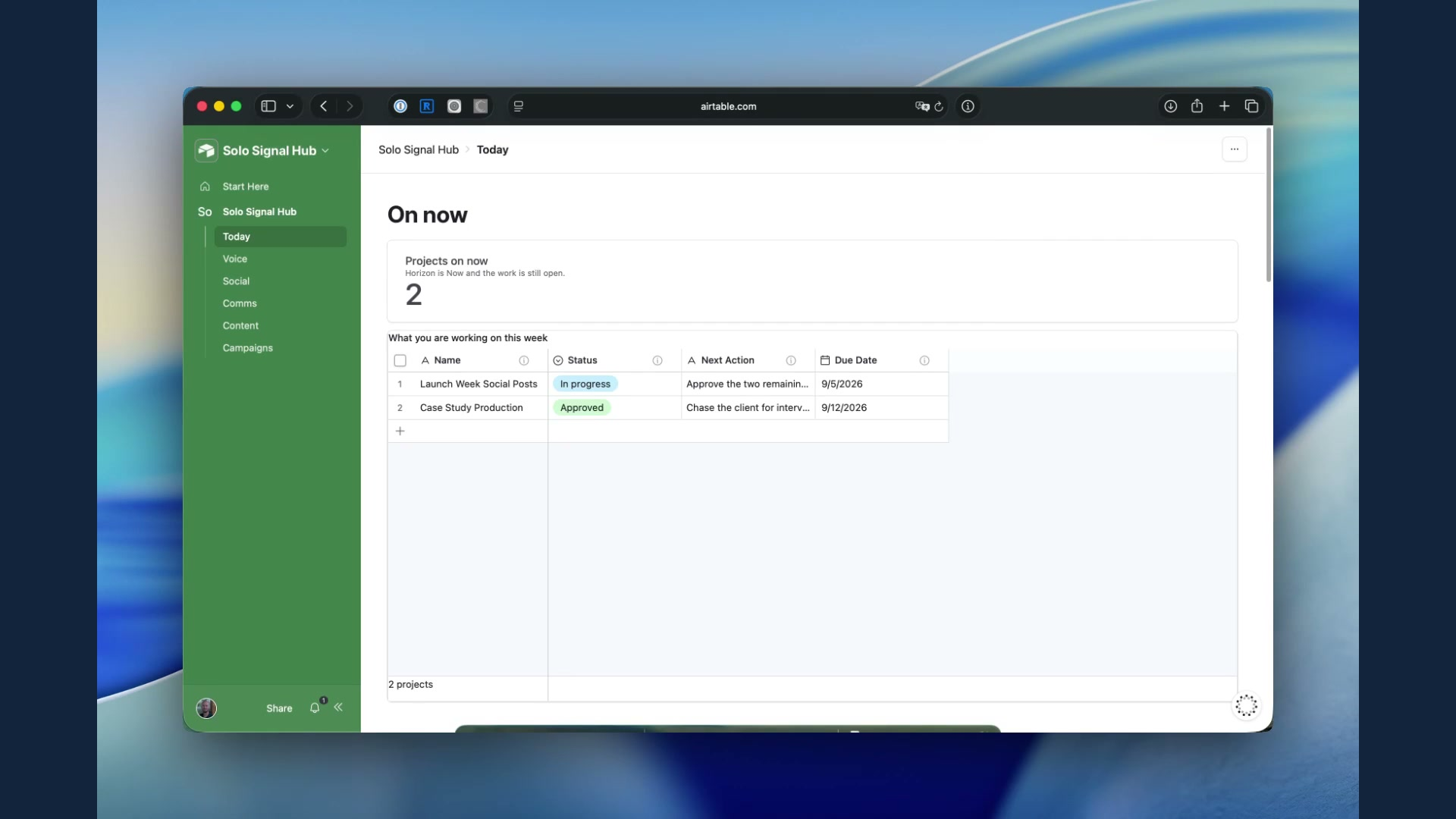
What used to take a small marketing team a month, a full campaign's worth of articles, one-pagers, emails, and social posts, you can now draft in a single morning.
Not rough drafts. Not "good enough for AI." On-brand, personalized, strategically grounded content, ready to review and publish.
1
brief
4
channels
1
morning
Sound familiar?
You're doing the work of a marketing team. Alone.
You know what a good campaign looks like. You know how to write. You know your audience. What you don't have is a system. So every campaign starts with a blank page, and every brief lives in your head, which means every handoff, even to yourself, loses context.
You've tried AI. Maybe it saves time on the first draft, but you overhaul every piece because it doesn't sound like you. This isn't a talent problem. It's not even an AI problem. It's an infrastructure problem.
Introducing Solo Signal Hub
The infrastructure that makes AI-generated content worth publishing.
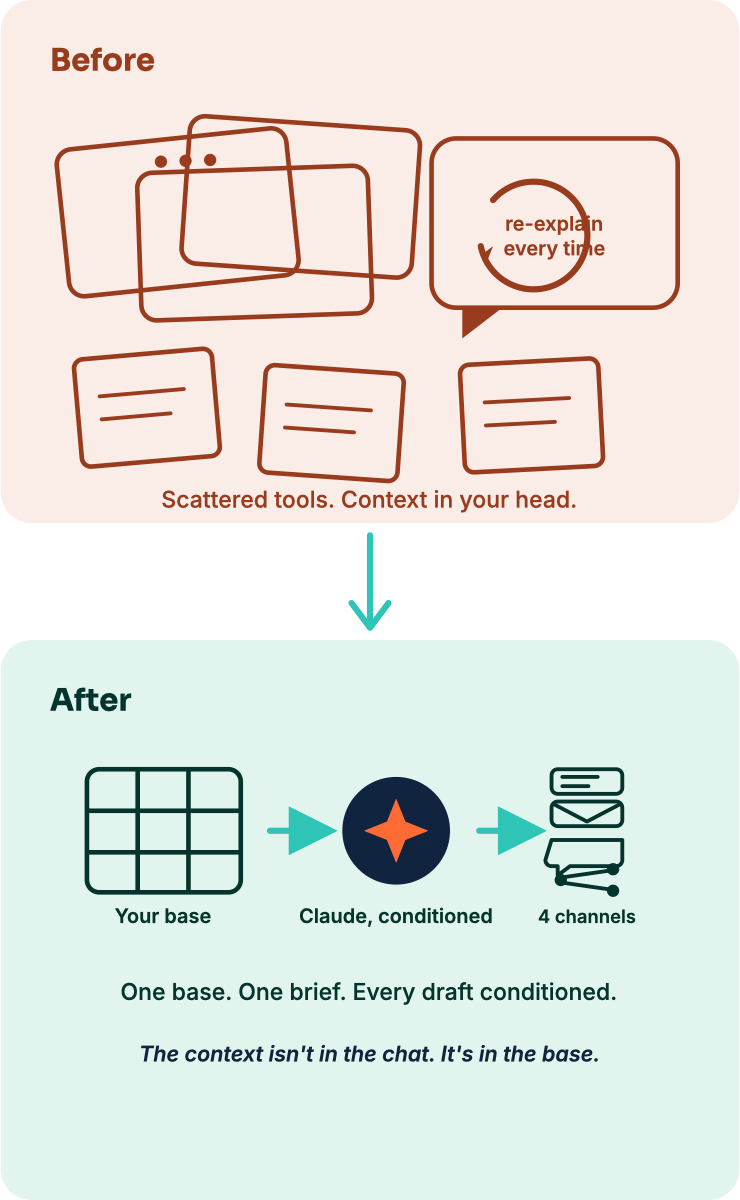
An Airtable base, structured, linked, and written for Claude, that holds everything your operation needs. Your campaigns. Your briefs. Your content. Your audience profiles. Your voice. Seven purpose-built prompts handle the generation work. You stop re-explaining. Claude stops guessing. The content ships.
1
Campaigns
2
Briefs
3
Content
4
Audience profiles
5
Voice
Why this works differently
Your Airtable base is the AI infrastructure.
Most AI workflows rely on you pasting context into a chat every time. You copy the brief, describe the audience, paste your voice guidelines, start over next session. Solo Signal Hub is built differently.
Every audience profile carries a voice template, written for Claude, that tells it who it's writing for and how. Every author profile carries another, capturing your voice, your sentence rhythm, the things you'd never say. Stop re-briefing the AI every Monday. The context isn't in the chat. It's in the base. Not "pretty good for AI." Good.
Audience profile · Newsletter subscribers
Voice template, from the demo scenario shipped in the base
You are drafting a communication to Northline Analytics' newsletter subscriber list.
VOICE: Conversational and collegial — write like a knowledgeable peer sharing something genuinely worth reading, not a brand broadcasting at a list. First-person. Direct sentences. Contractions throughout. No corporate filler. Lead with the insight or the value, never with "We are excited to share..."
WHAT TO AVOID: Vague promises ("transform your business"). Passive voice. More than one primary CTA. Overselling Northline's services — let the content do that work.
What's in the box
Everything you need to run a one-person marketing operation.
① The Airtable base.
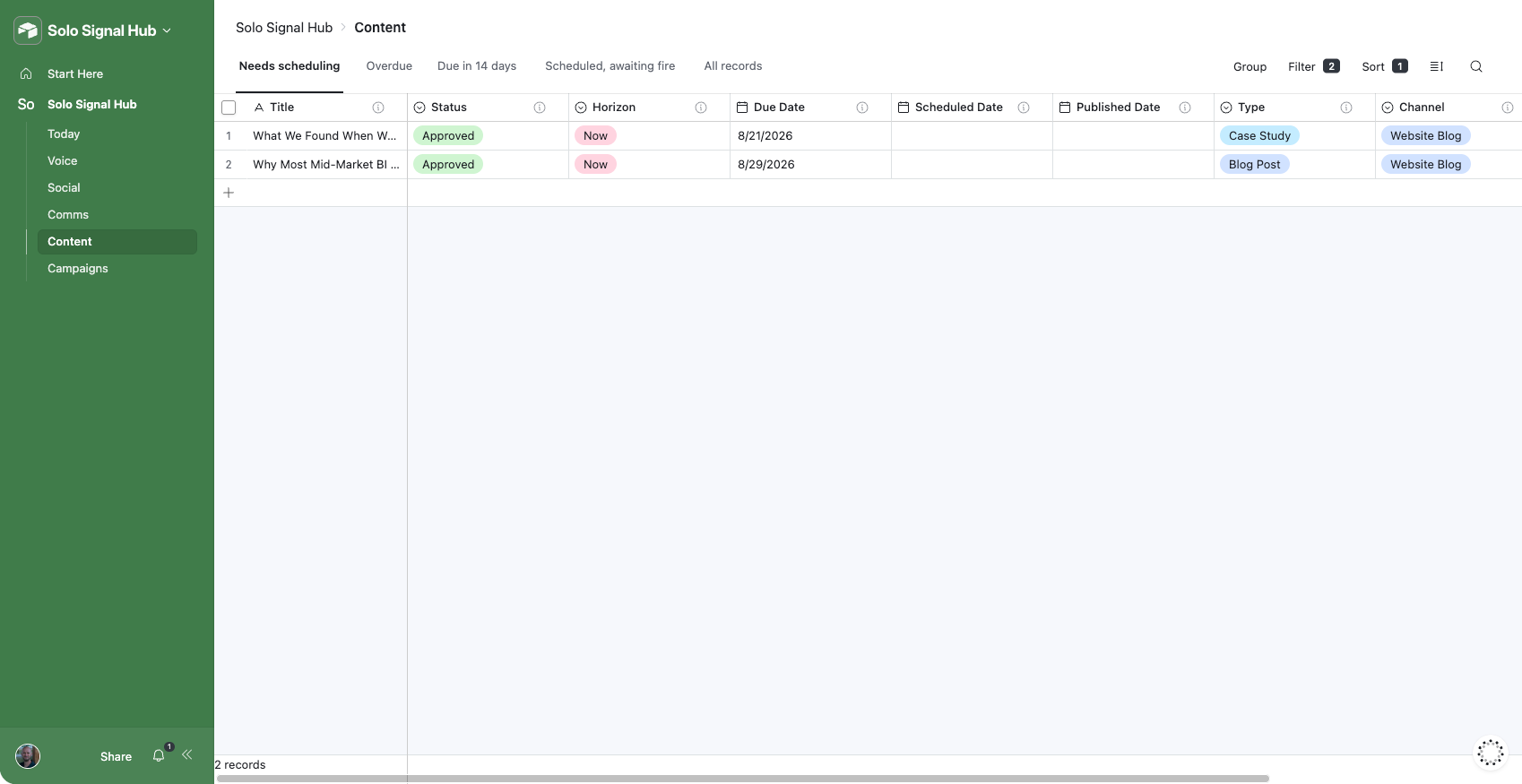
Full campaign hierarchy, Initiatives, Campaigns, Projects, Content, Comms, Social, one eleven-stage status ladder throughout, Horizon and Next Action fields, six built-in interface pages (Today, Voice, Campaigns, Content, Comms, Social), and a populated demo scenario showing it in daily use.
② The prompt library.
Seven purpose-built Claude prompts covering atomization, drafting, cascading briefs, batch generation, and running a whole briefed Project in one pass.
③ Claude Project instructions.
A ready-to-paste system prompt so Claude knows its role and prompt library every session.
④ The setup guide.
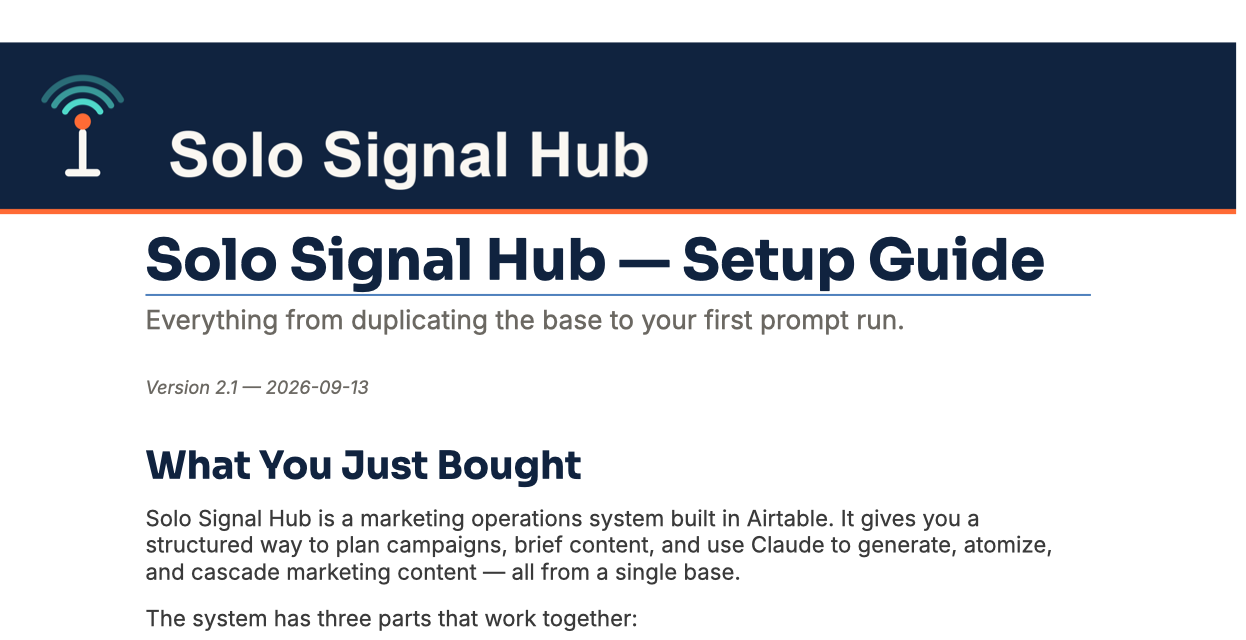
Step-by-step, written, with screenshots: copying the base, connecting Claude, turning on the twelve reconciliation automations that keep status and publish date in sync on their own, running your first prompt.
⑤ A sales demo video.
Setup and first-use video walkthroughs are coming as a free update; the written setup guide covers everything they will in the meantime.
Watch it work
Six minutes, one campaign, start to finish.
A fit check
This is for you if.
✓ You're the only marketer at your company, or one of very few.
✓ You're a business owner doing your own marketing without a dedicated team.
✓ You're tired of starting from scratch on every campaign.
✓ You've tried Claude or ChatGPT and the output is fine but not quite right.
✓ You want AI inside your actual marketing system, not a separate tool.
Not for you if.
✗ You want a done-for-you service or a one-click generator. This is a system you operate. About an hour to set up, and it gets better the more you put into it.
✗ You'd rather keep your audience and voice guidance in your head than write it down once.
✗ You're looking for a fully automated content machine that runs with no input from you.
✗ You don't use Claude, ChatGPT, or another AI tool, and have no plans to start.

Built by a skeptic
Six months ago I didn't believe AI could produce content worth publishing. Now it runs my entire marketing operation.
I'm Lucas Ledbetter. I run marketing solo at a B2B company: campaigns, content, social, pipeline, no team. For a long time I was skeptical AI would ever produce content I could use. The problem wasn't the AI. It was context: Claude didn't know my voice, my audience, or what campaign a piece belonged to.
Once I built that context into a structured base Claude could read on demand, everything changed. I built Solo Signal Hub to systematize exactly that.
If you'd rather have someone set this up for you, configure your voice profiles, build your first campaign hierarchy, train the system on your voice, that's something I do as well.
A foundation, not a ceiling
The Hub is designed to grow with you.
The base is built so each add-on has something real to stand on, not bolted on after the fact:
Production boards and calendars pack
The six interface pages you already have, extended.
Analytics and performance pack
One shared publish-date field means one publishing timeline across every content type, not three.
Make.com automation pack
One status vocabulary means one trigger configuration, not six.
Platform content packs
Built to extend past LinkedIn and X as new channels matter to you.
These ship as separate add-ons as the ecosystem grows.
One price, one time
Solo Signal Hub.
$147
$99
founder's price
One-time payment, no subscription.
What's included
✓ The base
✓ The prompt library
✓ The Claude Project instructions
✓ The setup guide
✓ The demo video
✓ For the first twelve buyers, a 45-minute onboarding call
Guarantee
If you set up the Hub, run the connection test from the setup guide, and it genuinely doesn't work for your setup, contact me within 7 days and I'll make it right. Founder's-price buyers: if after our onboarding call you decide it's not for you, tell me within 14 days of the call and I'll refund it in full, no reason needed.
Questions
Frequently asked.
How long does setup take?
Plan for 1–2 hours.
What if I already have an Airtable base I use for marketing?
The Hub is a standalone base — it doesn't connect to or interfere with anything you already have. Run both in parallel while you evaluate whether it fits, then migrate what you need.
Do I need to know how to use Airtable?
Basic familiarity helps — you should be comfortable creating and editing records. You don't need to know how to build bases from scratch; the Hub comes pre-built.
Do I need to know how to code or use APIs?
No. The Airtable MCP connector in Claude handles the connection without any coding. The setup guide walks you through generating a personal access token step by step.
What's your refund policy?
If you set up the Hub, run the connection test from the setup guide, and it genuinely doesn't work for your setup, contact me within 7 days and I'll make it right. Because this is a digital product that delivers immediate access, I don't offer refunds on the basis of "I changed my mind"—but I stand behind the product working as described. Founder's-price buyers get more: 14 days after our onboarding call to decide it isn't for you, full refund, no reason needed.
Can I use this for client work?
Yes — one license covers one Airtable base for one organization. If you want the Hub set up for multiple clients, reach out about implementation pricing.
What if I want help setting it up?
That's the implementation service. Reach out through the consulting page or email lucas@solosignalmarketing.com.
Do I need a specific Claude or Airtable plan?
Any Claude plan with connector access works, and any Airtable plan. If your company is on a Claude Team or Enterprise plan, your workspace admin may need to enable MCP connector access before you can connect Airtable. Worth checking with them before you buy if you're not sure.